Checkout Usability
Part of Checkout integrations
Connecting checkout to order management
Define order references, payment attempts and state changes so checkout can hand an accurate order to fulfilment.
Connect checkout to order management with a stable store order reference, a record of each payment attempt and an explicit rule for changing order state. The return page may show the customer what is known; the order must also receive a dependable payment outcome when the browser never returns.
Establish the order record
Decide when the store creates an order or reserved checkout record. Retain the items and fulfilment details staff need, the basket version, the amount and currency submitted for payment, and the references that join the order to provider activity.
A Checkout Session's optional client_reference_id can carry an internal reference when the integration sets it and can be used to reconcile the session with internal systems. The session's metadata map can store key-value pairs in a structured format.
Stripe recommends reusing a PaymentIntent if checkout is interrupted and resumes later; its state helps track failed payment attempts for a cart or session. Therefore, do not assume each retry has a new PaymentIntent ID.
Checkout Session vs PaymentIntent Handling
- Checkout Session
- Use `client_reference_id` for internal tracking; metadata for structured data
- PaymentIntent
- Reuse for interrupted checkouts; track failed attempts via state
Define permitted state changes
The store may use states such as awaiting payment, processing, paid, payment failed and cancelled. Keep the provider's original status alongside the store's interpretation. If authorisation and capture are separate, decide which confirmed outcome permits the particular fulfilment action.
| Information received | Order-management response |
|---|---|
| Customer reaches the return page | Look up the linked order and show its known state. |
| Required success outcome arrives | Check the order and payment references, amount and currency; apply the permitted transition once. |
| Confirmed failure arrives | Keep fulfilment blocked and retain the attempt for a suitable retry or correction. |
| Outcome remains pending or unknown | Preserve the record for later confirmation or investigation. |
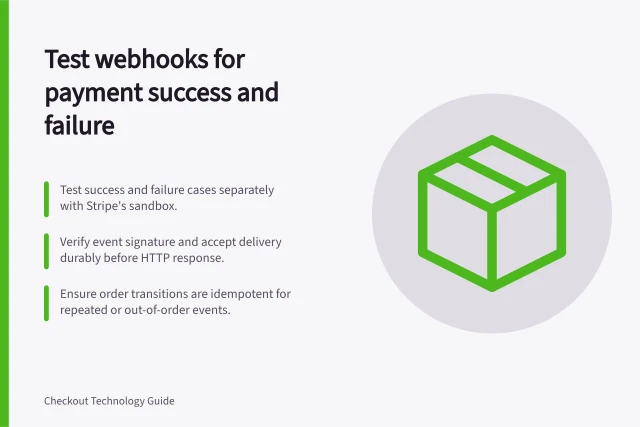
The browser return cannot be the sole automatic fulfilment trigger: a customer can pay and lose the connection before the landing page loads. Some payment methods have delayed success notification, and their subsequent state changes only occur after the Checkout Session completes. Use the selected provider's actual events and statuses when writing the store rule.
Make release repeat-safe
A return route and webhook may both inspect the same order, while a provider may redeliver an event. Enforce the fulfilment guard in the order operation so concurrent handlers cannot release the same order twice.
Record the accepted transition with its triggering provider reference. Hold an event that cannot be matched confidently rather than creating an order from an amount-and-date guess.
Check a successful purchase, a failed attempt followed by retry, a missing browser return and a delayed outcome if supported. Inspect the customer message, order timeline and fulfilment queue together. A permitted sandbox check shows how that configuration behaved in the test; live payment methods still need their own confirmation.